
Payment options
You can pay for your Proton subscription with payment card, PayPal, and other popular payment methods. In this article, we explain how to check out using each of our accepted payment methods.
In this article
- How to pay for a Proton subscription
- Which currencies does Proton accept?
- If you can’t see your preferred payment method at checkout
- Making payments from Russia
How to pay for a Proton subscription
Payment card
We accept all major credit and debit cards.
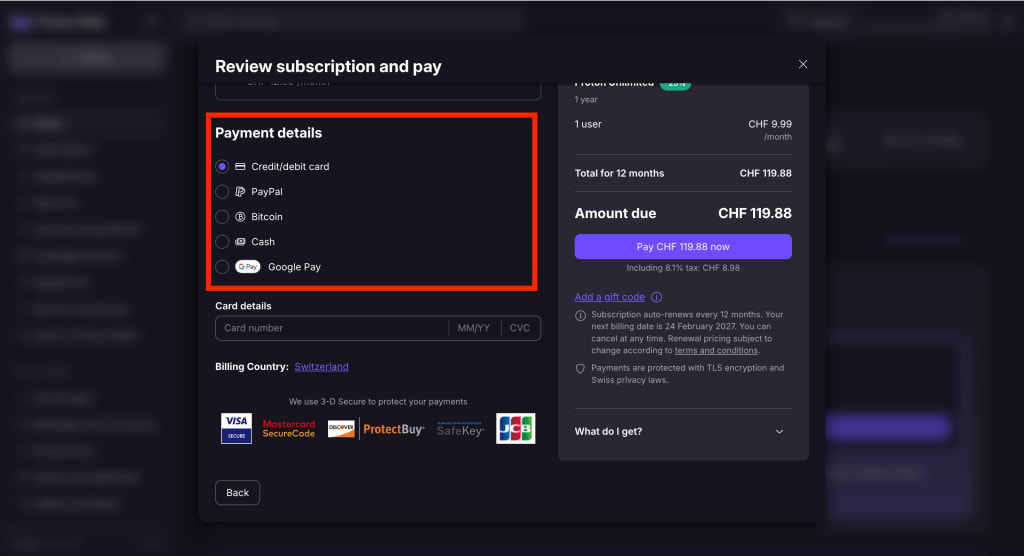
- At checkout, select Credit/debit card from the Payment details menu.
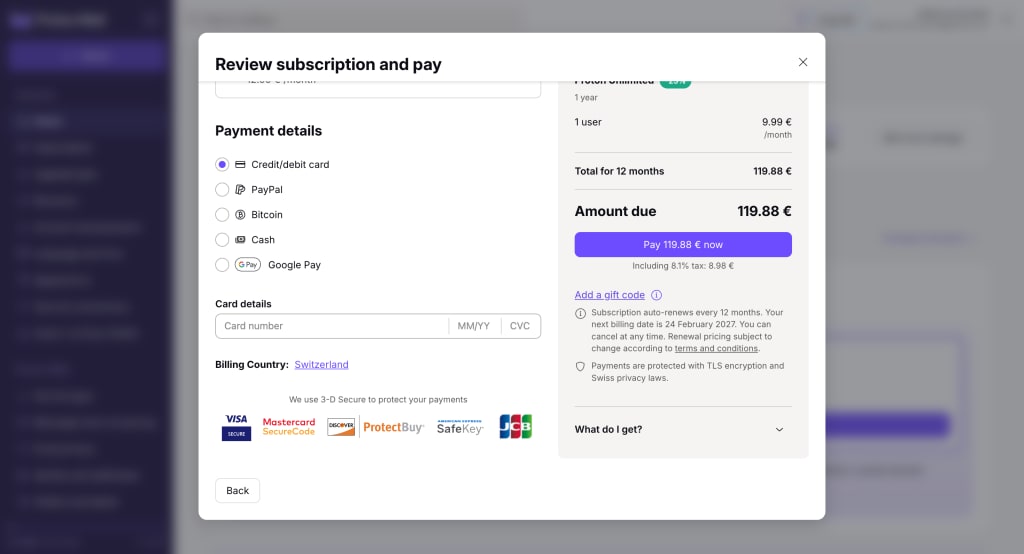
If you already have saved cards on your account, you can select one from the dropdown menu.

2. Enter your card number, expiry date, and CVV (security code). You’ll also need to select a billing country. Select your country of tax residency.
3. Review the payment summary, then click Pay now to confirm. You may be asked to complete 3DS (3D Secure) verification with your bank.
PayPal
- At checkout, select PayPal from the Payment details menu.
If your PayPal is already linked to your account, select it from the dropdown menu.

- Select a billing country (your country of tax residency).
- Review the payment summary, then click the PayPal button (under Amount due) to confirm.
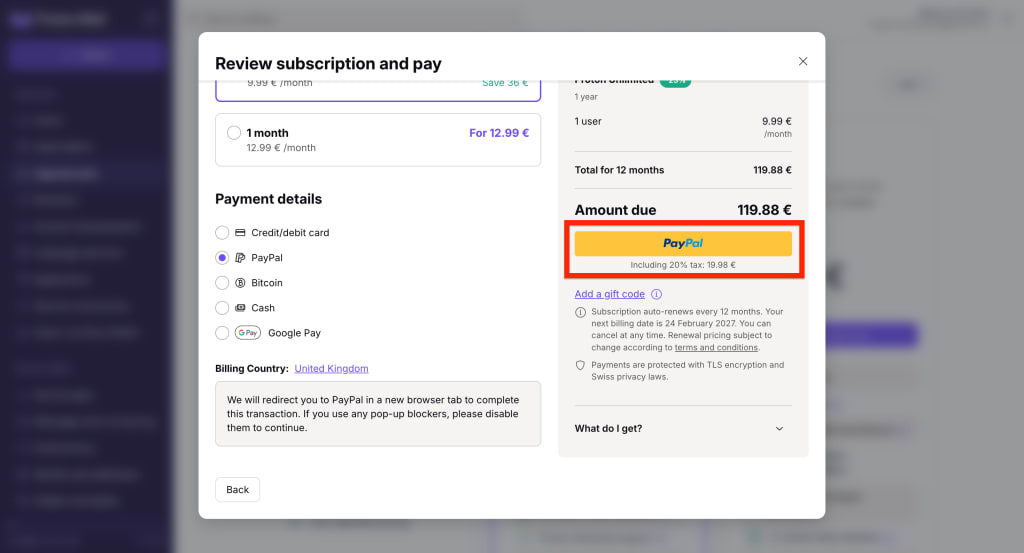
PayPal will open in a new window. Follow the steps to sign in and set up a billing agreement for recurring payments.
Google Pay
- Select Google Pay from the payment details menu.
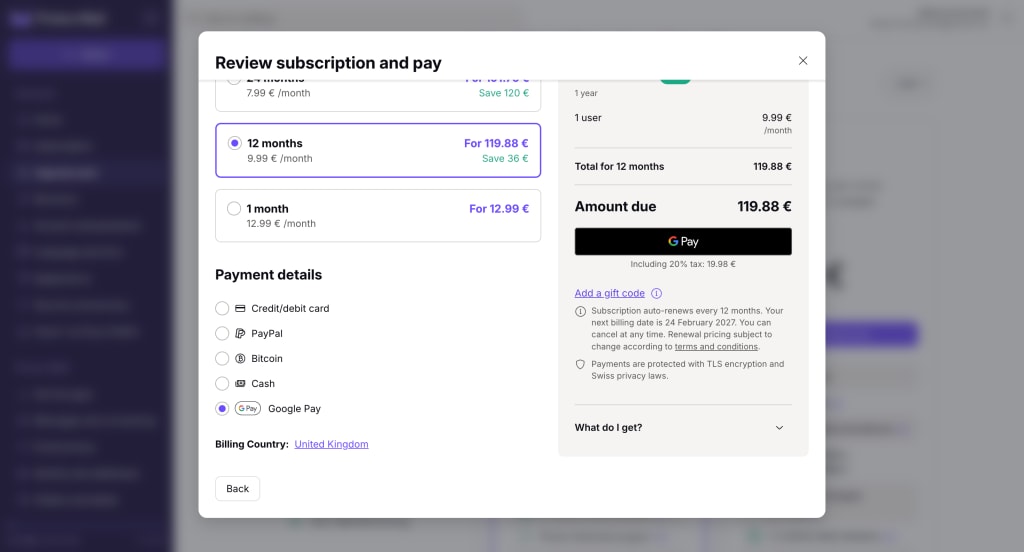
- Select your billing country (your country of tax residency).
- Review the payment summary, then click the GPay button (under Amount due) to confirm.
- Google Pay will open in a new window. Follow the steps to complete your payment.
Bitcoin
You can pay for any Proton subscription with Bitcoin — but it won’t appear as a payment option when you first create your account.
To use Bitcoin, create a free Proton Account, then upgrade to a paid subscription in your account settings.
Cash
We accept cash payments in US dollars (USD), euros (EUR), or Swiss francs (CHF).
- Send your payment to:
Proton AG
Route de la Galaise 32
1228 Plan-les-Ouates
Geneva
Switzerland
- You must include your Proton Mail username. If not, we won’t know which account to credit.
- Check you’re sending the correct amount for your plan. View plans and pricing
- Once we receive your payment, we’ll credit your account with the amount you sent. You can then use those credits to pay for your subscription. Learn how to check your credit balance
Important information about cash payments
- We can’t issue refunds for subscriptions purchased with cash.
- We don’t accept checks, money orders, or other forms of non-cash payments.
- We are not responsible for lost shipments. We strongly recommend using a tracked or recorded delivery service. You can also let us know that you’re sending us cash in the mail, so we know to expect it.
Bank transfer
We accept bank transfers in Swiss Francs (CHF), US Dollars (USD), and Euros (EUR).
- Transfer your payment using the following bank details:
Bank name
UBS Switzerland AG
Beneficiary (Account holder)
Proton AG
IBAN
For USD payments: CH530024024083690963J
For EUR payments: CH100024024083690962K
For CHF payments: CH040024024083690902H
BIC
UBSWCHZH80A
Description
Your Proton Mail username
Make sure you send the correct amount for your plan. View plans and pricing
- Submit a support form with proof of payment. Please include the following details:
- Full name shown on the transaction
- Date of the transaction
- Amount paid
Feel free to send a screenshot if it includes the information above.
- Once we receive and verify your payment, we’ll credit your account with the amount you sent. You can then use those credits to pay for your subscription. Learn how to check your credit balance
Important information about bank transfers
- We can’t issue refunds for subscriptions paid with bank transfer.
- We are not responsible for lost transfers. Please ensure you’ve entered our bank details correctly before sending.
Which currencies does Proton accept?
Our core currencies are:
- Swiss Franc (CHF)
- US Dollar (USD)
- Euro (EUR)
These currencies are available worldwide, and are compatible with all payment methods.
If you’re paying with Payment card, PayPal, or Google Pay, you may also be able to use the local currency in these countries:
- Australia (Australian Dollar)
- Brazil (Brazilian Real)
- Canada (Canadian Dollar)
- Hong Kong (Hong Kong Dollar)
- Japan (Japanese Yen)
- Poland (Polish Złoty)
- Singapore (Singaporean Dollar)
- South Korea (Korean Won)
- United Kingdom (British Pound)
If you can’t see your preferred payment method at checkout
Some payment methods won’t be available if you upgrade while creating your account. Here’s how to get around this and view all available payment methods as a new Proton user.
- Create a free Proton Account
- Open your account settings (Settings ⚙️ → All settings)

- Select Upgrade plan from the sidebar (or click Compare all plans on the homepage)
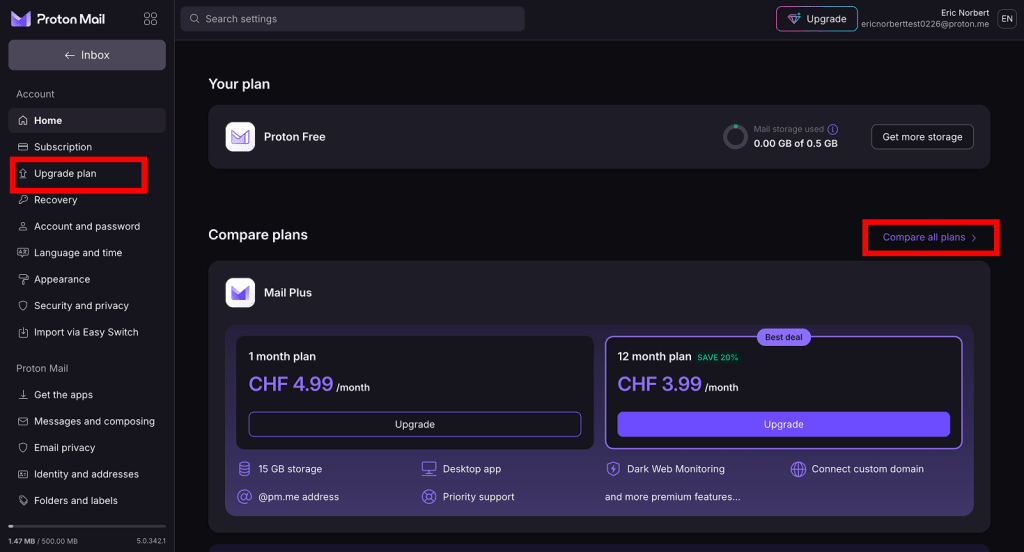
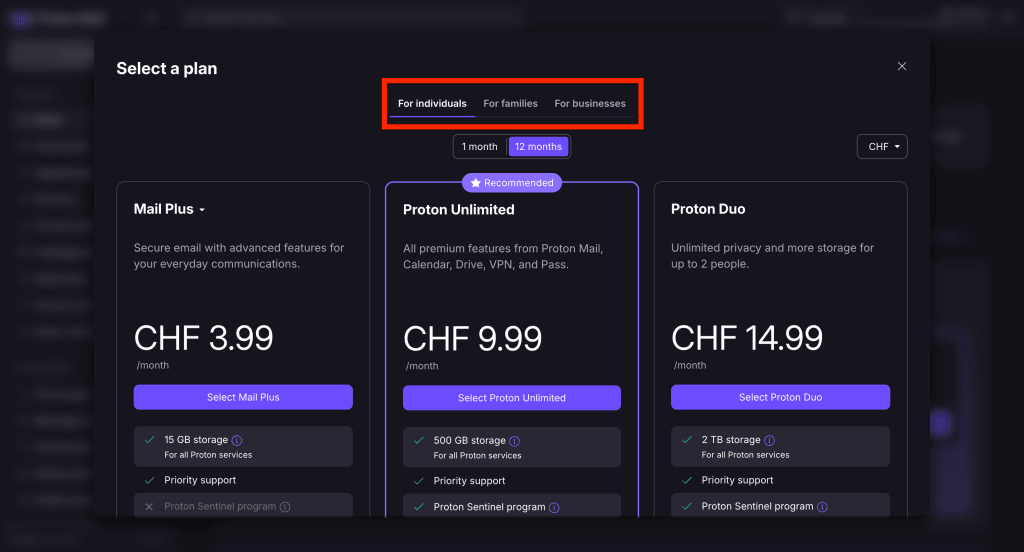
- Select a subscription from our individual, group, and business plans.
- At checkout, scroll to payment details. All payment options will appear (aside from bank transfer, which works a bit differently).
Making payments from Russia
Due to the ongoing conflict in Ukraine, Proton community members in Russia may experience difficulties paying for their subscription.
If you’re having trouble, there are some workarounds which will hopefully allow you to pay. Please visit our dedicated guide for more information.