
Email and SMS recovery
Email recovery and SMS recovery are password reset recovery methods. These options are a convenient way to get back into your account if you’re locked out.
These recovery methods won’t restore your account data (like emails, calendars, contacts, files, passwords). To make sure you don’t lose access to your data after a password reset, make sure you have at least one data recovery method enabled, and ideally your recovery phrase too.
In this article
How to add or change a recovery email address
- Sign in to account.protnn.me. Go to Settings ⚙️ → All settings.

- Select Recovery from the left sidebar.

- Scroll to Recovery email address. Enter your recovery email address and click Save.
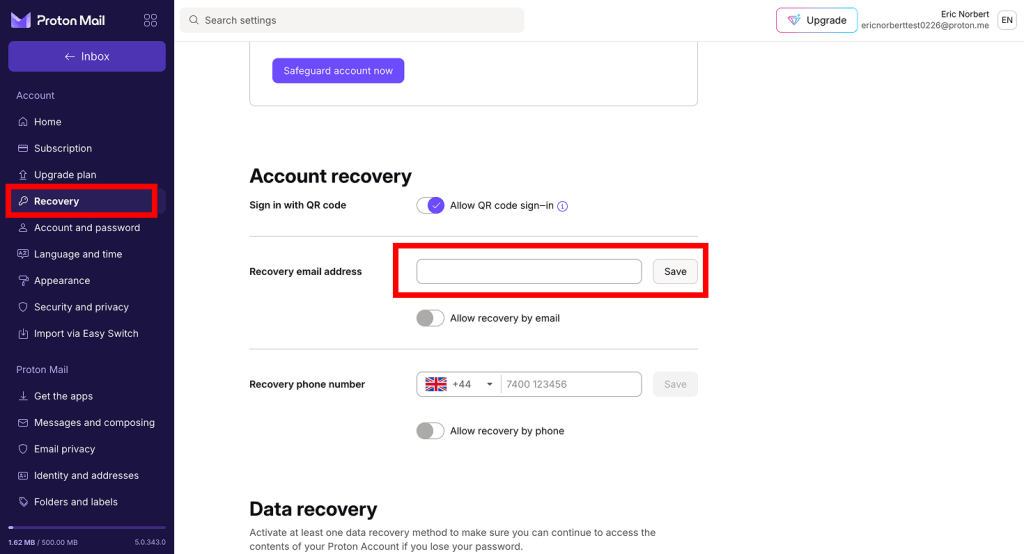
Your recovery email address should be an address that only you can access.
4. Toggle Allow recovery by email on. You may be asked to enter your password.

- Now you need to verify your email address. You won’t be able to use this recovery method until you do. Click Verify now.

- A verification code will be sent to your recovery email address. Follow the instructions in the email to verify your recovery email address.
That’s all done. If you get locked out of your account, you’ll be able to request a verification code to your recovery email address. That code will allow you to reset your password.
To disable email recovery, go back to your account settings and switch off Allow recovery by email.
How to add or change a recovery phone number
- Sign in to account.protnn.me. Go to Settings ⚙️ → All settings.

- Select Recovery from the left sidebar.
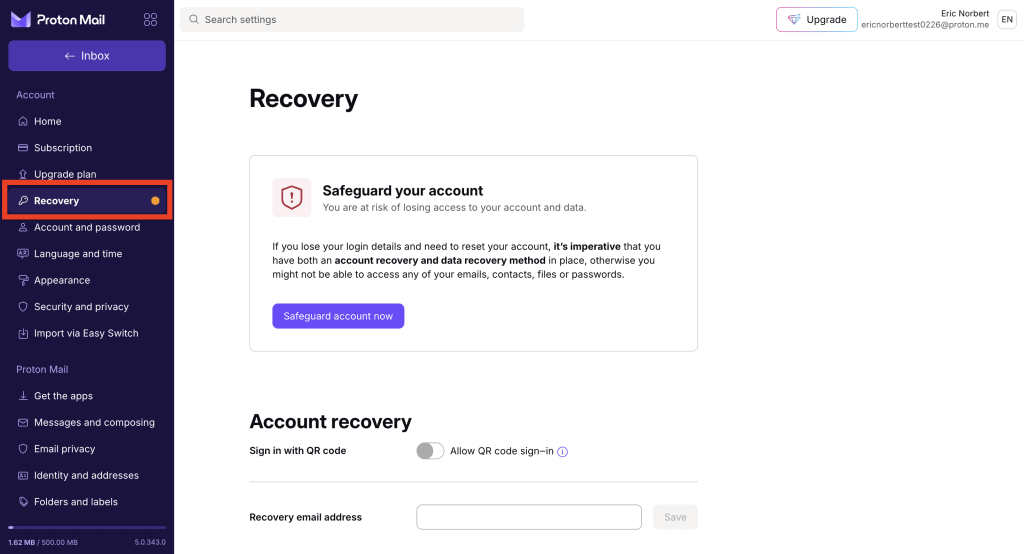
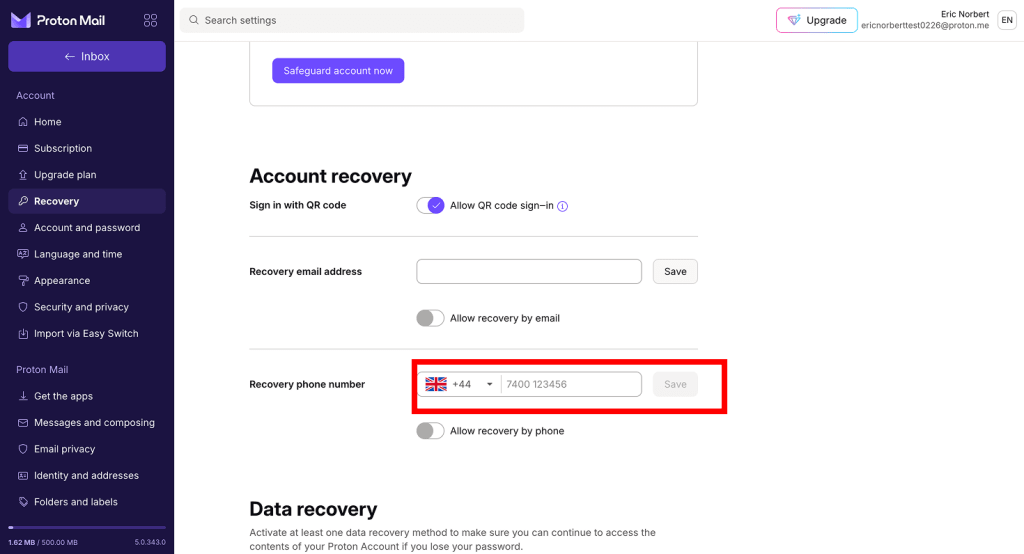
- Scroll to Recovery phone number. Enter your phone number and click Save.
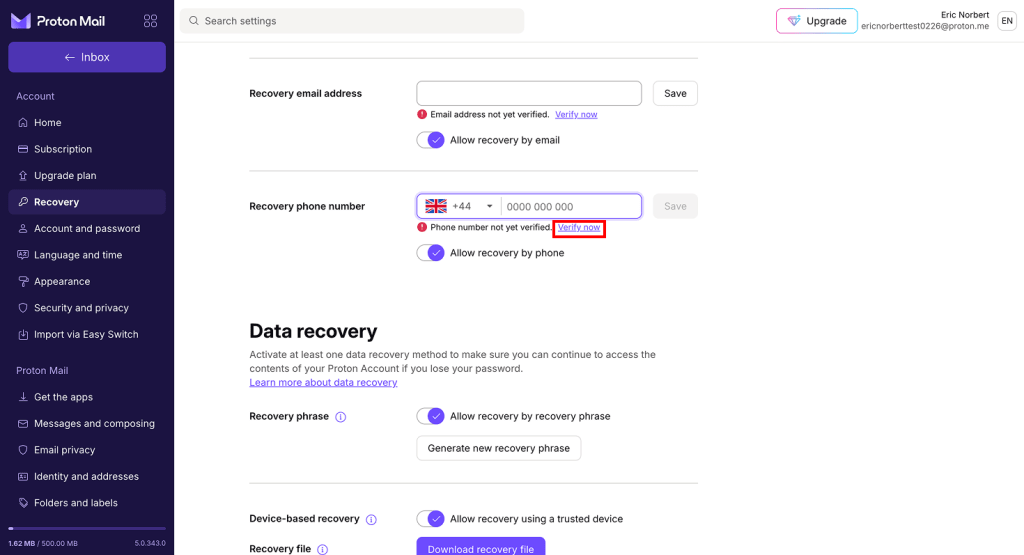
- Now you need to verify your phone number. You won’t be able to use this recovery method until you do. Click Verify now (under your phone number).
- A verification code will be texted to your recovery phone number. Follow the instructions in the SMS to verify your number.
That’s it. If you get locked out of your account, you’ll be able to request a verification code to your recovery phone number. That code will allow you to reset your password.
To disable SMS recovery, go back to your account settings and switch off the Allow recovery by phone option.