
How to unlock extra storage when you join Proton Mail Free
When you create a free Proton Mail account, you can unlock a higher storage allowance by completing our starter checklist in your first 15 days. The checklist is made up of four easy tasks which help you discover your new inbox and its privacy features.
Once you complete the checklist, we’ll upgrade your storage from 500 MB to 1 GB, so you can keep even more emails in your inbox.
In this article
- Who is eligible?
- How to increase your free Proton Mail storage
- Troubleshooting
- Get even more storage with Proton Mail Plus(nieuw venster)
Who is eligible?
New Proton community members on the Proton Free plan. This means you’ll need to have created your account in the last 15 days.
The offer isn’t available for paid Proton Mail subscribers. And if you upgrade after completing the checklist, the extra storage won’t be transferred. However, paid plans include much more storage by default, and also benefit from a generous annual storage bonus program.
How to increase your free Proton Mail storage
View checklist
Sign in to Proton Mail and open your inbox.
You should see the checklist in the left sidebar, under Get more storage. Can’t find the checklist?
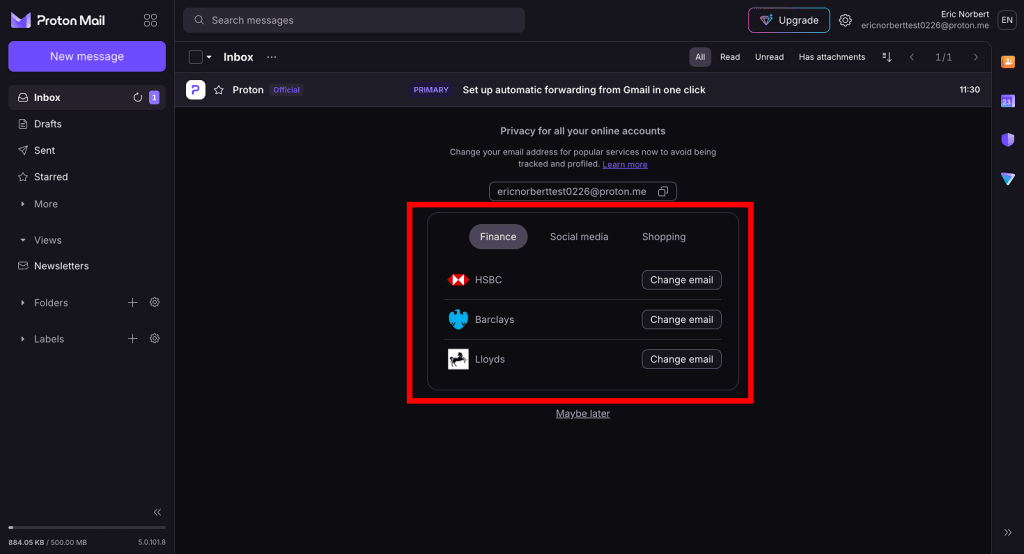
- Click an action to get started.
- When you complete a task, a checkmark will appear next to it.
- Once you complete all tasks, your storage will automatically increase to 1 GB. We’ll also send you a confirmation email.
1. Discover privacy features
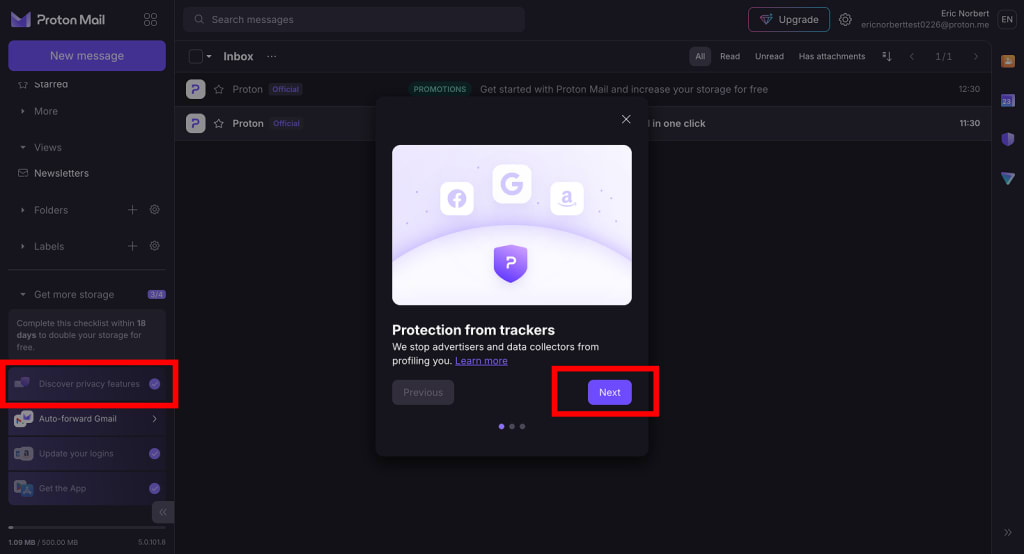
This is a short carousel introducing some of the privacy features that protect your account.
To complete this task, click Discover privacy features in the checklist, take a look through the slides, then click Done at the end.
2. Set up email forwarding from Gmail (or another provider)
This makes switching easier by automatically delivering emails from your old account to your Proton Mail inbox.
To forward from a Gmail account, click Auto-forward Gmail in the checklist to get started.
To forward from another email provider, use our Easy Switch feature to import your emails from your old inbox.
3. Update your logins
Make privacy your default by using your Proton Mail address to sign in to your online services. This tool helps you change your email address on popular websites.
- Click Update your logins in the checklist item, then select any service you use from the list.
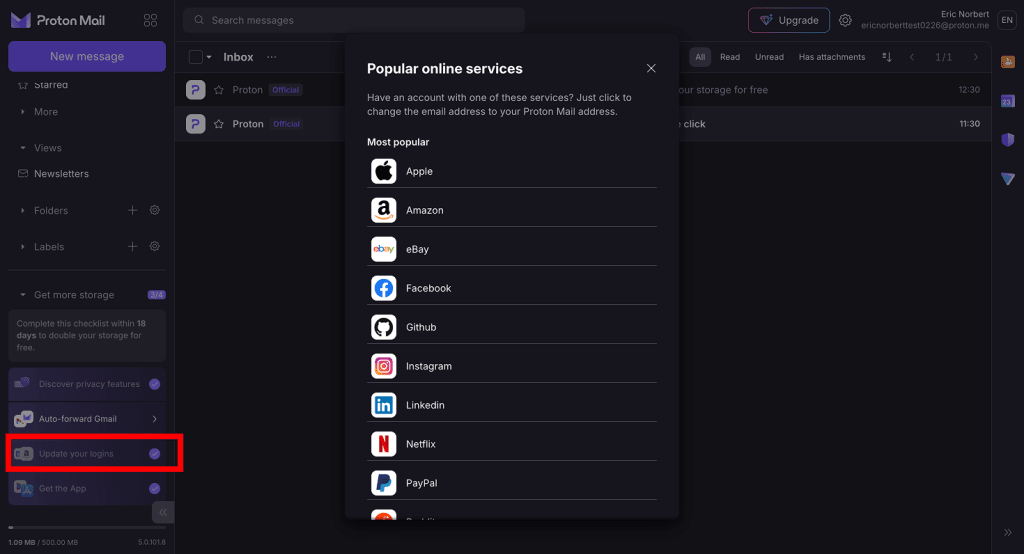
- This will take you to their website, where you can change your email address.
- Once you’re done, go back to the list of online services and click Done next to the service you updated.
4. Get the Proton Mail app on your iPhone or Android device
Download Proton Mail on iOS or Android and sign in to your account. If you already have the app, just sign in to your new account to complete this task.
Troubleshooting
Can’t find the “get more storage” checklist
If you’ve only just created your account, you might see a prompt to change your email address for popular services. Once you change an email address (or dismiss the prompt), the checklist will appear.
This is one of the tasks on the checklist, so completing it now will save you time.
If you still don’t see the checklist, make sure:
- You created your account less than 15 days ago: this is an exclusive offer for free accounts.
- You have a free account: this offer is only available with Proton Free.
- You haven’t already completed the checklist: if you have, your storage allowance will already be 1 GB.
Completed actions showing as unchecked
If you’ve completed a task on the list but it’s still showing as unchecked, make sure:
- You completed the task in full. Review the how-to instructions for each task—especially Update your logins, which must be manually marked as complete.
- You completed the task recently. If you did a task before starting the checklist, you may have to do it again.
If you’re still having trouble, get in touch with our customer support team.
Get even more storage with Proton Mail Plus
Unlock 15 MB of Mail storage and other premium features like additional email addresses, contact groups, and custom domains with Proton Mail Plus. Discover Mail Plus